
GovEagle vs. Responsive: Which Is Better? (September 2026)

GovEagle vs. Responsive comes down to a fundamental distinction in purpose and design. Responsive supports general RFP responses across industries, while GovEagle is built exclusively for federal contractors handling FAR clauses, Section L and M instructions, and Controlled Unclassified Information requirements. For teams operating in the GovCon market, that difference affects daily workflow, compliance tracking, and security posture in ways that generic tools are not built to support. If you want a deeper breakdown of how this category of software fits into the broader proposal technology market, you can review this industry analysis.
TLDR:
- GovEagle auto-generates compliance matrices in Excel from Sections C, L, and M; Responsive lacks these workflows.
- GovEagle works as native Word and Excel add-ins with your templates; Responsive primarily uses a web-based workflow, with Microsoft Office add-ins available for Word/Office.
- GovEagle aligns with FedRAMP Moderate security controls for CUI handling. Responsive is not FedRAMP Moderate authorized.
- GovEagle connects to repositories like SharePoint and Box to search and draft from source documents, while Responsive is primarily organized around a curated Q&A/content library.
- GovEagle is purpose-built for federal contractors handling FAR-regulated, compliance-intensive proposals.
What Is Responsive?
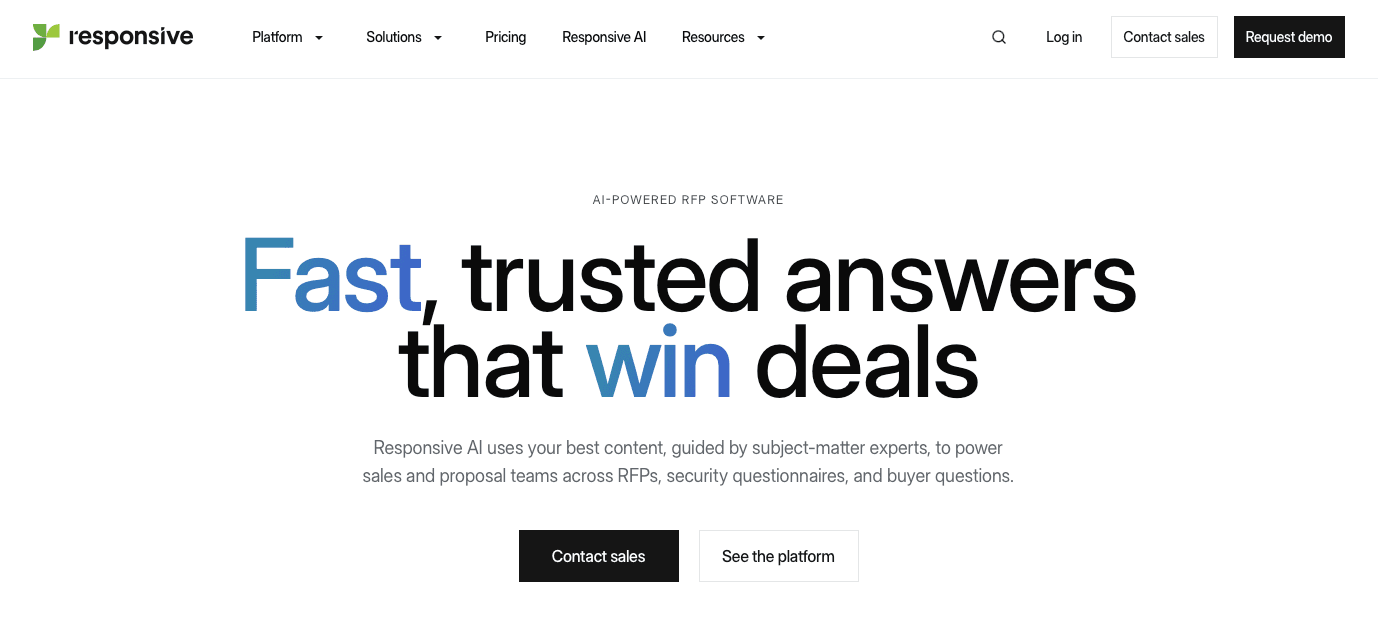
Responsive is a cloud-based RFP response platform that helps organizations answer proposals, security questionnaires, and due diligence requests. The tool builds on a content library model where teams create and maintain a repository of question-and-answer pairs.
When you respond to an RFP or questionnaire, Responsive searches your library for past answers based on keyword matching and question similarity. You can then insert, edit, and customize those answers for the current response. As you save more Q&A pairs, the library expands for future proposals.
Responsive includes collaboration features, workflow automation, and analytics to track response times and content usage. The software serves various industries, including government contracting, though it wasn't built exclusively for the GovCon space. Teams in IT, SaaS, consulting, and other sectors use Responsive to manage RFP workload and standardize responses across their organization.
What Is GovEagle?
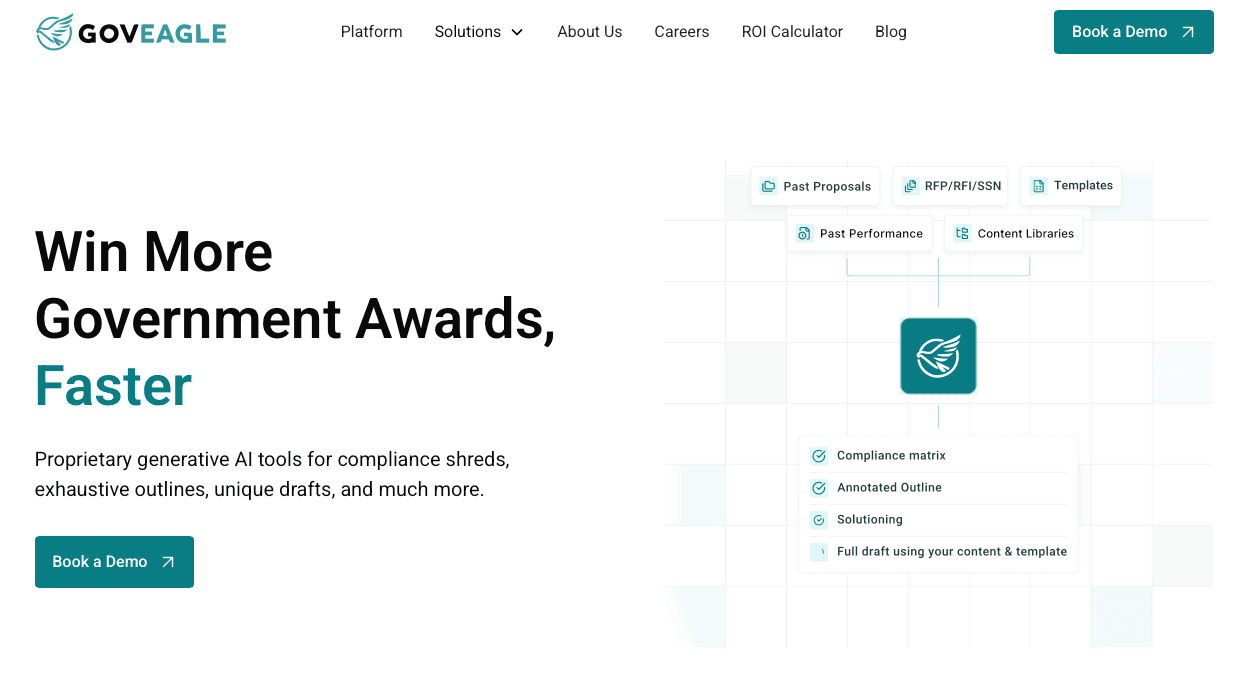
GovEagle is an AI proposal automation tool built for government contractors who respond to federal RFPs, RFIs, and task orders. We focus exclusively on the GovCon space, which means the system understands FAR compliance, Section L and M requirements, and the workflows proposal teams actually use.
The software handles the full proposal lifecycle. You can run bid/no-bid analysis on new opportunities, generate compliance matrices in Excel that pull every requirement from Sections C, L, and M, and create annotated outlines in Word that map your past content to each proposal section. From there, our AI drafts Pink Team content using your own past proposals and knowledge base.
We integrate directly with Microsoft Word and Excel through native add-ins, so your team works in the same environment they already know. The system connects to your existing content repositories like SharePoint or Box, pulling relevant material without requiring data migration or manual uploads.
| Feature | GovEagle | Responsive |
|---|---|---|
| Compliance Matrix Generation | Auto-generates compliance matrices in Excel from Sections C, L, and M with direct extraction from solicitations | Lacks purpose-built government compliance workflows; requires manual tracking documents outside the system |
| Knowledge Base Approach | Connects directly to existing repositories (SharePoint, Box, Egnyte, Dropbox, Google Drive) with semantic search and source citations | Requires building and maintaining Q&A pair libraries that can grow to thousands of entries, requiring ongoing curation. |
| Microsoft Office Integration | Native add-ins for Word, Excel, and PowerPoint that work inside applications with full template support | Web-first workflow with export functionality; many teams work in Responsive's web application and may also use Microsoft Office add-ins or export to Word depending on their process |
| Security Certifications | FedRAMP Moderate Equivalency with NIST 800-53 and NIST 800-171 compliance; AWS GovCloud deployment; supports CUI handling | Does not advertise FedRAMP Moderate authorization for CUI processing |
| Deployment Options | Cloud, customer-hosted, air-gapped systems, and classified network environments with zero-retention policy | Cloud-based system that does not publicly advertise GovCloud, GCC High, air-gapped, or classified/SCIF deployment options |
| Primary Use Case | Federal RFPs with FAR compliance, Section L and M requirements, and defense contracting | Commercial RFPs, security questionnaires, and due diligence requests across various industries |
Government RFP Compliance Workflows
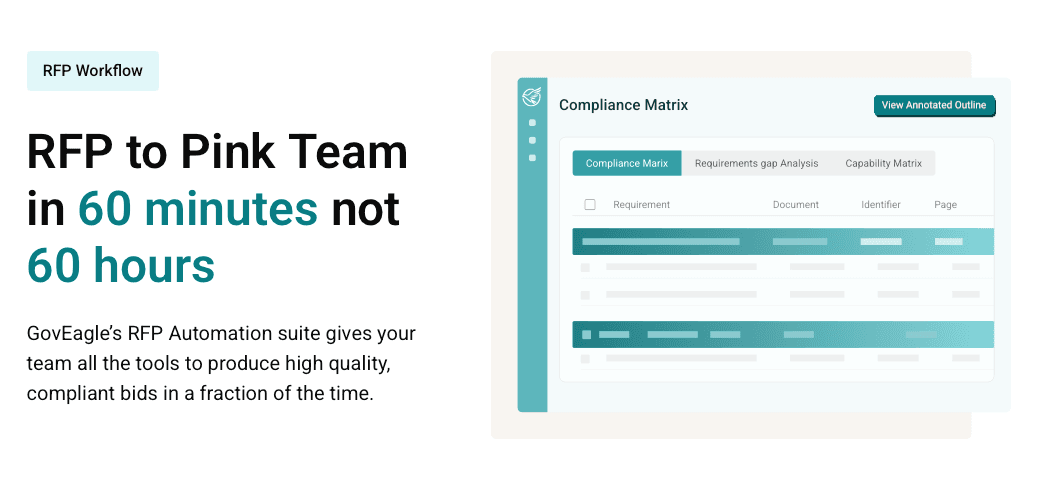
GovEagle auto-generates compliance matrices in Excel by pulling requirements from Sections C, L, and M directly from solicitations. The output matches what proposal managers manually create for federal contracting, and you can export to Excel to apply your own templates without changing your existing workflow.
The system tracks color team reviews, amendments, and compliance checks through the proposal lifecycle. You can work inside the software or export to customize externally.
Responsive offers general RFP response capabilities across industries but lacks purpose-built government compliance workflows. Federal proposal teams need to manually build separate tracking documents outside the system to map Section C, L, and M requirements line by line. Teams must maintain external spreadsheets and manage the connection between requirements and proposal sections across multiple tools, which increases the risk of missing requirements that trigger disqualification.
Knowledge Base Management and Content Retrieval
Responsive requires teams to build and maintain a Q&A pair library, with some users managing up to 10,000 question-answer pairs. Users search this library for relevant answers, clicking into each question individually for AI-generated content. This approach becomes challenging for large federal RFPs with hundreds of requirements. Teams report that bulk uploads without organization create libraries that are difficult to sort through and manage, and maintaining thousands of Q&A pairs current requires ongoing curation time.
GovEagle connects directly to existing content repositories including SharePoint, Box, Egnyte, Dropbox, and Google Drive. No data migration or Q&A pair rebuilding is needed. Semantic search retrieves relevant content from past proposals, resumes, boilerplate text, and presentations based on RFP requirements. The AI chat interface provides source citations pointing to original documents and sections, keeping content traceable while reducing hallucination risks.
Get GovCon capture and proposal insights in your inbox.
Microsoft Office Integration and Workflow
Responsive offers a web-based platform and Microsoft Office integrations (including Word/Office add-ins), and teams may still use exports depending on their workflow. Teams search the Q&A library, assemble responses in the browser, then export the final content to Word for formatting and submission. This approach requires proposal contributors to switch between the web application and their document editor. Some users report workflow friction when exporting content from web-based systems into Word templates. The system requires organizations to adjust their proposal processes around the tool's web-first design.
GovEagle functions as native add-ins for Word, Excel, and PowerPoint that work inside the applications themselves. The Word add-in works with your current proposal templates without requiring re-architecture or manual reformatting. You keep full access to tracked changes, comments, and co-authoring features that federal proposal teams rely on for collaboration. Proposal managers assign sections and coordinate contributors directly within Word documents.
The Excel add-in extends GovEagle beyond proposal teams to finance staff working on ROM calculations, cost volumes, and basis of estimates. Chevo reached full team adoption within one week because contributors didn't need to learn a new interface or change how they already work.
Security, Compliance, and CUI Handling
Responsive does not publicly advertise FedRAMP Moderate authorization, which may limit suitability for contractors that require that standard for CUI handling. If your proposals involve CUI or sensitive government data, the tool does not publicly advertise federal-specific certifications such as FedRAMP Moderate that some agencies and primes require. Responsive does not publicly advertise deployment options for classified or SCIF environments.
GovEagle maintains FedRAMP Moderate Equivalent status through NIST 800-53 compliance and full NIST 800-171 compliance. This allows your team to store, process, and manage CUI throughout the proposal process without security gaps. We operate in AWS GovCloud and support GCC and GCC High environments, which defense contractors consistently cite as a deciding factor when assessing proposal tools.
We also support customer-hosted deployments, air-gapped systems, and classified network environments for organizations with the strictest security requirements. Our zero-retention policy protects your intellectual property by never using your proprietary data to train shared AI models. Your content stays yours, and your competitor intelligence never feeds back into systems that others might access.
Why GovEagle Is the Better Choice
Responsive works well for commercial organizations responding to general RFPs, DDQs, and security questionnaires across various industries where government-specific compliance workflows are not required. Teams handling straightforward content reuse needs outside of federal contracting may find value in its Q&A library approach.
GovEagle is the stronger choice for government contractors because we tackle the specific complexity of federal procurement. Our purpose-built compliance matrix generation automatically extracts Sections L, M, and C requirements and outputs them in Excel format. For defense contractors and federal IT providers, FedRAMP Moderate Equivalency and CUI handling capabilities are mandatory requirements. Our native Microsoft Office integration works within existing templates and workflows instead of requiring process overhaul, reducing adoption friction for proposal teams already embedded in the Microsoft ecosystem.
FAQs
How should I decide between GovEagle and Responsive for my government contracting team?
Choose GovEagle if you're responding to federal RFPs that require Sections C, L, and M compliance tracking, CUI handling, or FedRAMP Moderate security standards. Responsive fits better if you're handling commercial RFPs or security questionnaires without government-specific compliance requirements and don't need federal security certifications.
What's the main workflow difference between the two tools?
Responsive requires you to build and maintain a Q&A library of thousands of pairs, then search and insert answers through a web interface before exporting to Word. GovEagle connects directly to your existing content in SharePoint or Box and works inside Word itself through a native add-in, so your team stays in the applications they already use without switching between platforms.
Who is Responsive best suited for compared to GovEagle?
Responsive serves commercial organizations across various industries responding to vendor questionnaires, DDQs, and non-federal RFPs where government compliance workflows aren't needed. GovEagle is built exclusively for government contractors who must track FAR compliance, generate Section L and M matrices, and meet federal security standards for defense or civilian agency proposals.
How much setup time does each tool require before my team can start responding to RFPs?
Responsive requires building a Q&A library structure before you can retrieve content, with some teams managing up to 10,000 pairs that need ongoing curation. GovEagle connects to your existing SharePoint, Box, or Google Drive repositories without data migration, which is why teams like Chevo reached full adoption within one week.
Final Thoughts on This RFP Software Comparison
In GovEagle vs. Responsive, the right choice depends on the type of work your team supports. Responsive fits organizations managing commercial RFPs, DDQs, and vendor questionnaires that rely on reusable Q&A content. GovEagle is built for federal contractors who must track Section C, L, and M requirements, manage FAR-driven compliance, and handle CUI within secure Microsoft Office workflows. When proposals involve defense programs or civilian agency solicitations, those government-specific capabilities are not optional. If your growth strategy focuses on federal contracting, learn more about how GovEagle supports compliant, secure proposal development from capture through submission.