GovEagle adds template filling to custom workflows
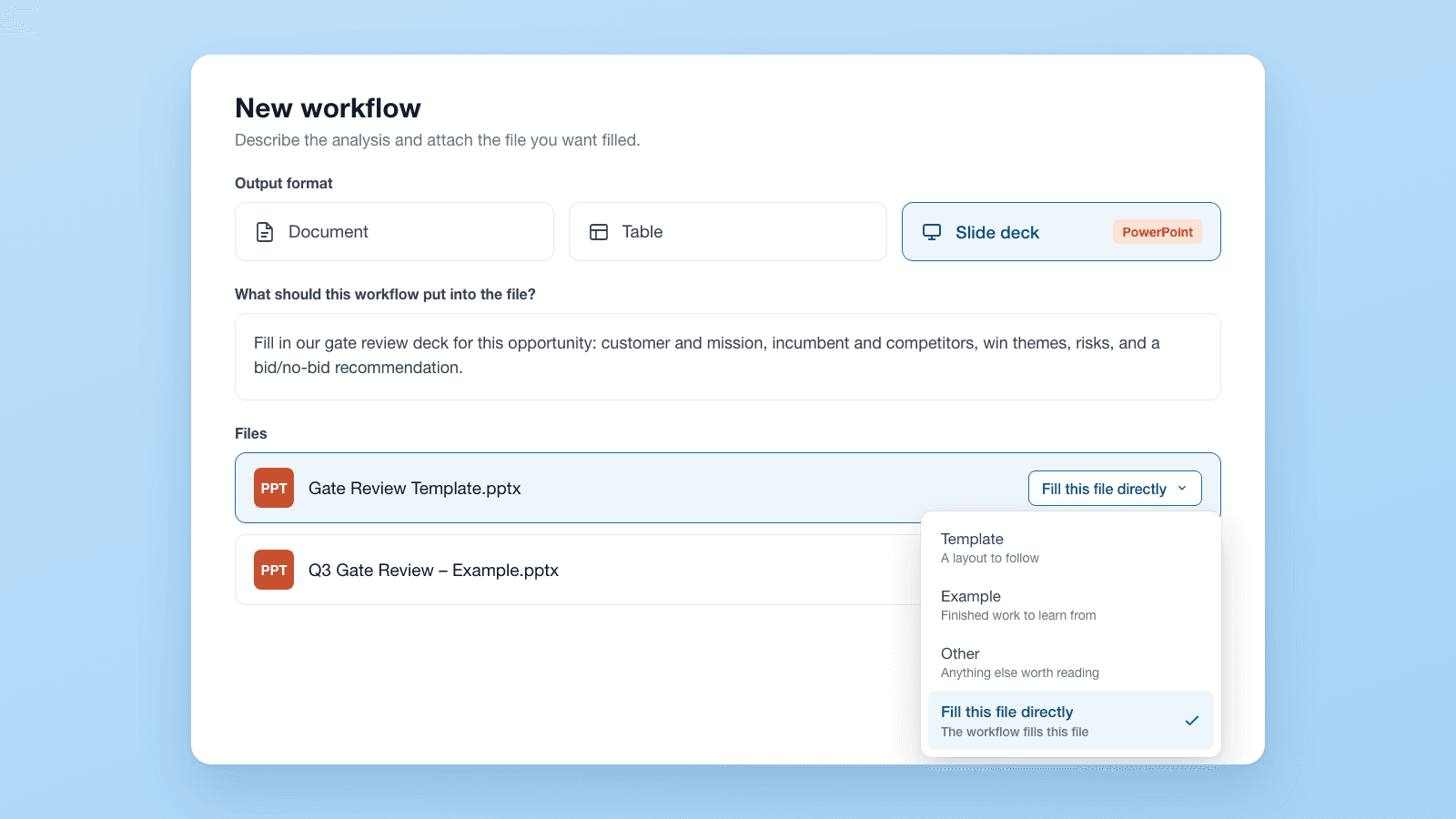
Custom workflows in GovEagle can now fill in your own Word, PowerPoint or Excel file instead of producing a generic report.
What changed
- Your layout stays as it is. Each run fills a copy of your template. The original is never changed, and the parts of the file the workflow doesn't fill stay as they are.
- One person sets it up, and everyone else runs it. A workflow owner builds and publishes it. Everyone else starts it from the opportunity.
- Review before you download. Word and Excel outputs open in an editor inside GovEagle. PowerPoint outputs open as a preview, and you download them to edit.
- Tables that go straight to Excel. Any table in a workflow report, such as a crosswalk, comparison or staffing matrix, exports to Excel in one click.
Who it helps
Capture and proposal leads whose company has a set format for gate review decks, capture briefings and trackers. Instead of copying an AI report into the house template for every pursuit, the workflow fills the template directly.
How GovEagle templated workflows work
- Go to Settings → Workflows → New, or choose Create custom workflow from an opportunity's Workflows tab.
- Add your .docx, .pptx or .xlsx template and set it to Fill this file directly. A custom workflow can use up to five files.
- Choose Publish to org → Send for review. An admin reviews it before it's available to your team.
- On any opportunity, open Workflows → Start workflow. Runs can take up to 30 minutes.
Anyone with edit access to the opportunity can start a run, and view-only users can read the results.
Get GovCon capture and proposal insights in your inbox.
Where it fits
Workflows are part of the GovEagle platform, next to built-in workflows such as Gap Analysis, Proposal Review, Price-to-Win and Black Hat Review. For how a black hat review feeds capture strategy, read how black hat analysis works in federal capture.
Fill this file directly is different from the Templated Word Document download. The download rebuilds a finished report in your company format. Filling a template writes into your own file and leaves the rest of it as it is.
What it doesn't do
- Not every file type. Older .doc and .ppt files, PDFs and Google Docs exports won't work.
- No PowerPoint editing inside GovEagle. Slide decks open as a preview. Download them to edit.
- Deleted runs are gone. Deleting a run removes the run and its report for everyone.
Get started
Build your first templated workflow → Workflows
See a workflow fill your template → Book a demo