
Updates
Published Nov 19, 2026
3 min read
GovEagle adds document silencing to the Content Library
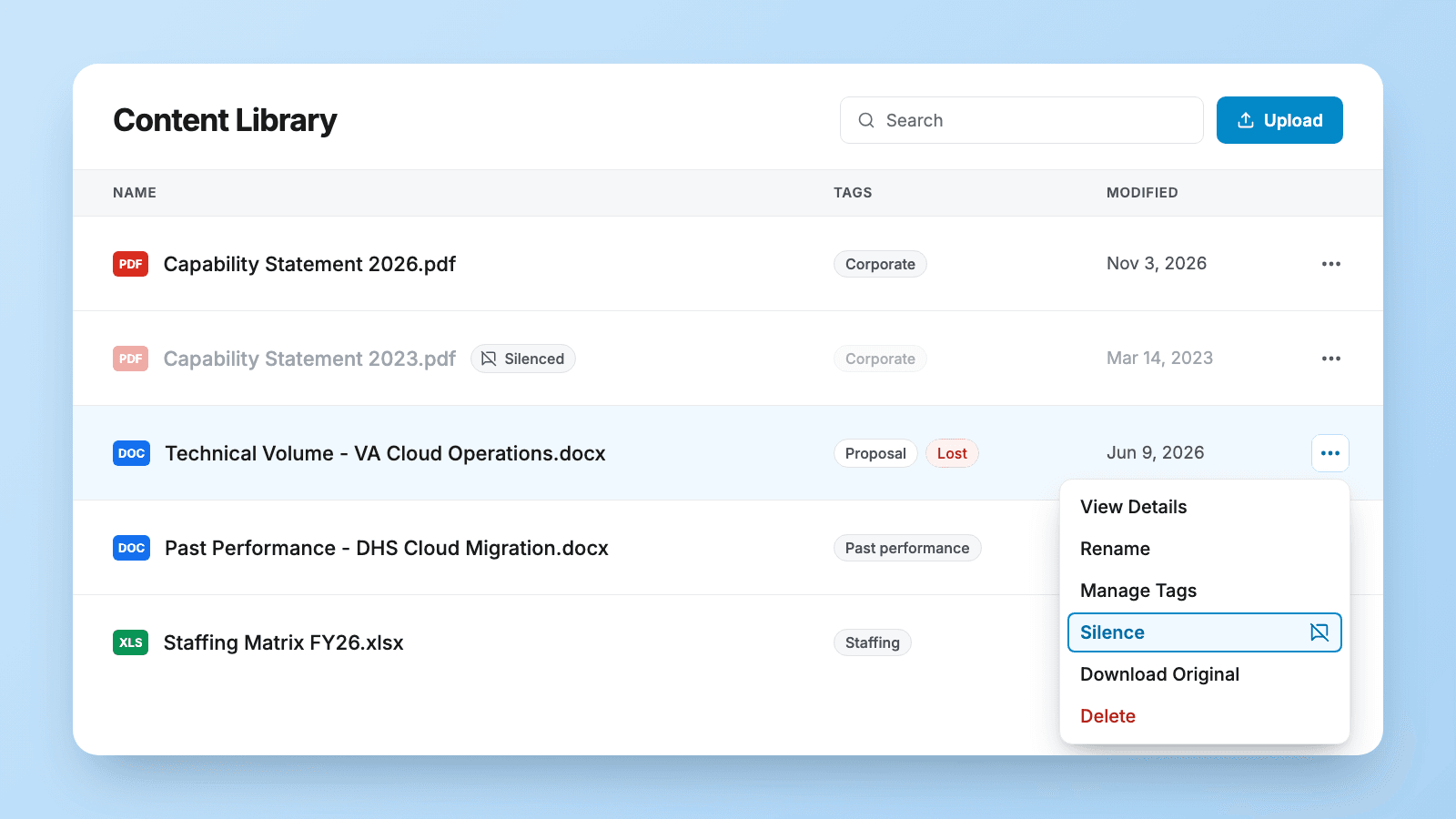
You can now silence a document in the Content Library, so GovEagle stops using it in searches and answers without you deleting it.
What changed
Some files belong in your Content Library but shouldn't shape every answer, such as an outdated capability statement or a proposal you lost. Now:
- Skipped by search. GovEagle stops pulling a silenced document into searches and answers, for everyone in your organization.
- Still there for people. Anyone can still open the document, download it and organize it.
- Available when you ask. @ mention a silenced document whenever you want it in a chat. GovEagle uses it in that chat only, and it stays silenced everywhere else.
- Easy to spot. Silenced documents appear dimmed with an indicator, in the Content Library and in the Office add-ins.
- Reversible. Unsilence a document at any time to make it searchable again.
Who it helps
Proposal and knowledge managers who keep old versions and lost bids for reference but don't want them reused in new drafts.
How silencing works
- In the Content Library, click the ⋯ menu on the document's row and choose Silence.
- To use the document in one chat, @ mention it or attach it.
- To reverse it, choose Unsilence from the same menu.
Get GovCon capture and proposal insights in your inbox.
Where it fits
Silencing is part of GovEagle's Content Library.
What it doesn't do
- Documents only, not folders. Silence each file on its own.
- It needs write permission. Only users with write permissions on a document can silence it.
- It isn't access control. Silencing changes what GovEagle's search uses, not who can see the file.
Get started
How silencing works → Content Library overview
See it on your own library → Book a demo