
Best Knowledge Base Integration Tools for Proposal Teams in September 2026

Akash Mandavilli
CEO and Co-Founder of GovEagle
About the author
Akash is a 2x founder with previous experience in AI from Meta and federal sales from IBM. Akash holds a dual-degree from Johns Hopkins University in Economics and Computer Science.
GovEagle is not affiliated with, sponsored by, certified by, or otherwise associated with Shipley Associates.
Proposal teams no longer need to dig through old file servers or guess where past performance lives while a deadline closes in. Today’s content reuse tools pull material straight from SharePoint, Box, and Egnyte and surface what matches the section you’re writing in real time. The problem is that many systems still force you into separate interfaces or require moving your entire library into a proprietary workspace, creating slowdowns when every hour counts. This guide lays out which knowledge base integration tools actually support government contractors who need semantic search inside Microsoft Word.
TLDR:
- Knowledge base integration connects SharePoint, Box, and Egnyte to your proposal workflow.
- Semantic search finds exact keyword matches and relevant past performance by context.
- Native Microsoft Word add-ins let you search and insert content without switching applications.
- FedRAMP Moderate equivalency and air-gapped deployment options protect CUI during proposals.
- Modern proposal integration suites connect with SharePoint and Word while providing AI-assisted drafting with citations.
Why Are Knowledge Base Integration Tools Necessary?
For government contractors responding to RFPs under tight deadlines, these integrations solve a specific problem: accessing institutional knowledge without leaving your writing environment. Instead of manually searching file servers or tracking down colleagues to find past proposals, technical write-ups, or compliance language, semantic search surfaces the right content in seconds based on context instead of exact keyword matches.
The most effective integrations work inside the applications your team already uses, whether that's Microsoft Word, a dedicated proposal system, or a web interface. Writers can search, preview, and insert vetted content without switching applications or interrupting their workflow.
What Semantic Search Actually Is
Semantic search doesn’t look for matching words. It looks for matching meaning. Instead of indexing documents purely by filenames, tags, or exact keyword strings, semantic search converts content into vector embeddings, numerical representations of meaning. When a writer searches, the system compares intent and context, not literal phrasing.
Example, in plain terms:
- Query: “Cyber incident response for CUI environments”
- Semantic search can return content titled:
- “NIST 800-53 IR Controls”
- “FedRAMP Moderate Incident Handling Procedures”
- “Past Performance: SOC Incident Response Support”
None of those require the exact words “cyber incident response” to appear. The system understands they describe the same concept space.
That’s the core distinction: keyword search matches text; semantic search matches intent.
How We Ranked Knowledge Base Integration Tools for Proposal Teams
We assessed these tools based on what proposal teams need when responding to RFPs under tight deadlines.
Native integrations with Microsoft Office and SharePoint came first. Your proposal libraries already exist in SharePoint repositories, and your team drafts in Word. Tools requiring exports, reformatting, or interface switching add friction that slows down bid development. The right integrations work directly within these environments.
Semantic search was required. Proposal content is highly unstructured, and exact keyword matching fails when searching for past performance. If you need cloud modernization examples but prior proposals used "infrastructure migration," semantic search retrieves them by understanding context instead of matching exact phrases.
Source citations matter for AI-generated suggestions. When a tool surfaces proposal language, you need to verify where it came from. Citation tracking prevents hallucinations and confirms that retrieved content originates from approved sources.
Security standards determined which tools qualified for consideration. Government contractors handle CUI and procurement data requiring NIST 800-53 compliance at minimum, with FedRAMP Moderate Equivalency for cloud deployments. Tools that store data externally or train models on your proprietary content were immediately disqualified.
| Evaluation Criteria | Weight | Why It Matters for Proposal Teams | Impact on Workflow |
|---|---|---|---|
| Native Microsoft Office & SharePoint Integration | 35% | Your proposal libraries already exist in SharePoint repositories, and your team drafts in Word. Tools requiring exports, reformatting, or interface switching add friction that slows down bid development. | Eliminates application switching, preserves formatting, maintains tracked changes throughout collaboration, and reduces time spent on manual content transfers. |
| Semantic Search Capability | 30% | Proposal content is highly unstructured, and exact keyword matching fails when searching for past performance. Semantic search retrieves content by understanding context instead of matching exact phrases. | Surfaces relevant past performance even when terminology differs between RFPs, dramatically reducing time spent hunting for reusable material across years of institutional knowledge. |
| Source Citations & Verification | 20% | When a tool surfaces proposal language, you need to verify where it came from. Citation tracking prevents hallucinations and confirms that retrieved content originates from approved sources. | Enables verification before insertion, maintains content integrity, and guarantees compliance with government evaluation criteria by linking to source documents and page numbers. |
| Security Standards & Compliance | 15% | Government contractors handle CUI and procurement data requiring NIST 800-171 compliance at minimum, with FedRAMP for cloud deployments. | Protects sensitive information during proposals, meets government security requirements, and prevents proprietary content from being used to train shared AI models. |
GovEagle
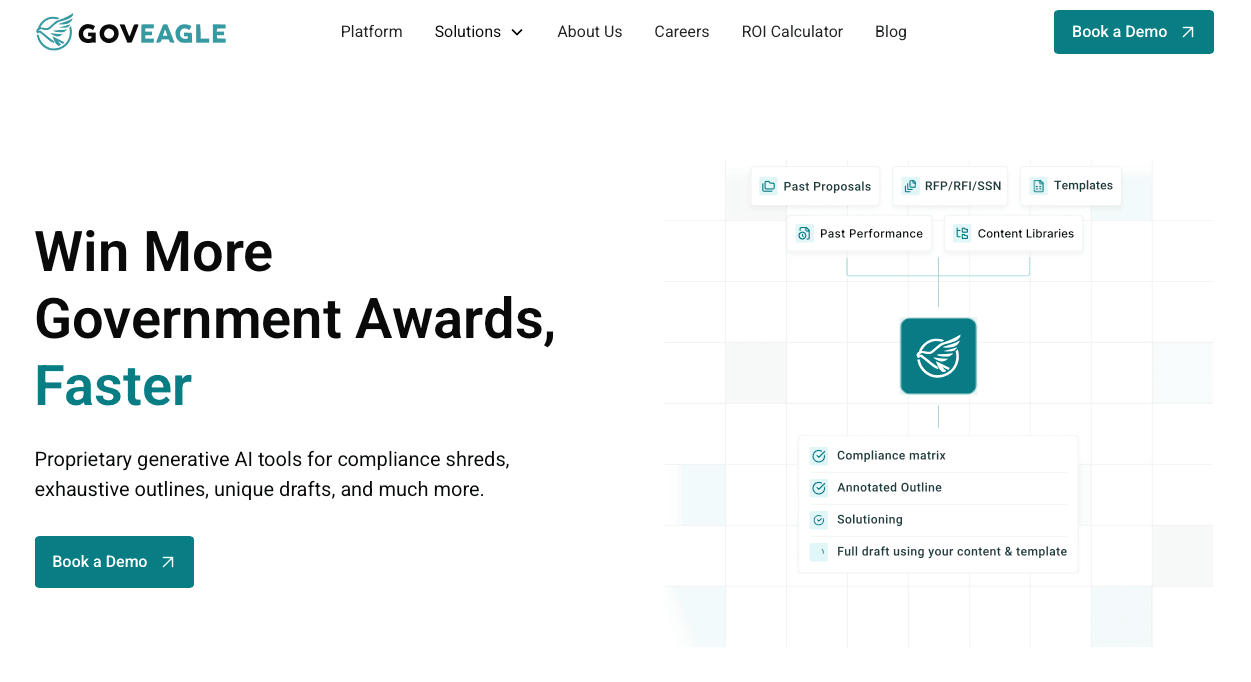
Our knowledge base integration connects directly to the proposal drafting workflow. The Microsoft Word add-in allows writers to search past proposals, insert approved content, and run compliance checks without switching applications. Formatting transfers cleanly, and tracked changes remain functional throughout collaboration.
We automatically index SharePoint, Box, and other repositories, making years of institutional knowledge searchable. When you search for "cybersecurity incident response for DOD," the system surfaces relevant past performance even when previous proposals used different terminology. Each result includes the source document and page number for verification.
Requirement-Aware Content Retrieval
GovEagle maps your knowledge base to each RFP solicitation, surfacing past performance for specific requirements instead of returning broad search results. Retrieval augmented generation pulls exclusively from your approved content library, removing hallucination risk that affects general AI writing tools.
Automated Tagging
GovEagle will tag documents as RFP, response, past performance, etc. to ensure the most relevant content is pulled at any given time. This enables teams to avoid common errors other tools may face around confusing an RFP with a response or a subcontractor's past performance with your own.
Deployment Options for Secure Environments
Cloud deployments run in AWS GovCloud High with FedRAMP Moderate equivalency. For defense contractors operating in SCIFs or other high-side environments, air-gapped deployments keep classified workflows fully isolated and offline.
Who Should Consider GovEagle
Best for boutique, mid-market, and enterprise government contractors that need to accelerate proposal and capture workflows without compromising compliance.
GovSignals
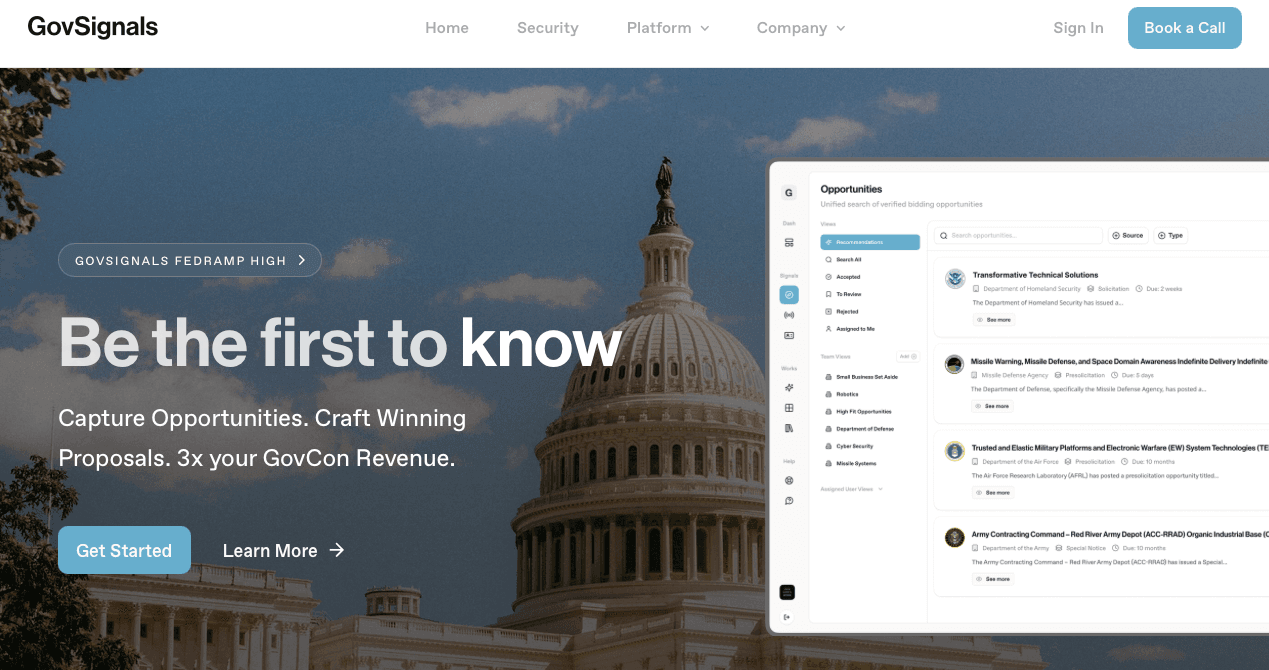
GovSignals provides AI-driven proposal automation for federal, state, and local government contracting with automated compliance matrices and opportunity intelligence capabilities.
What They Offer
GovSignals combines opportunity discovery with proposal response in one workflow. The unified search aggregates solicitations from SAM.gov, state portals, and local procurement sites. Pre-RFP intelligence pulls signals from agency budget documents and meeting minutes to identify opportunities before formal release.
The compliance matrix automation extracts requirements from solicitation documents, while AI-powered content generation drafts proposal sections with source traceability.
Who Should Consider GovSignals
GovSignals works well for contractors wanting opportunity identification paired with proposal automation. The combined workflow helps capture teams transition directly from opportunity research to proposal drafting.
The limitation may require additional steps to integrate with existing content repositories, depending on deployment. Teams using SharePoint for proposal libraries or collaborating in Microsoft Word will need to work primarily within the GovSignals interface instead of their environments, requiring content exports and reformatting.
Get GovCon capture and proposal insights in your inbox.
Rohirrim

Rohirrim offers organization-specific AI through its RohanRFP product that generates long-form technical proposal content using proprietary language models trained on client data.
What They Offer
Rohirrim's multi-application suite includes an Answer Engine for searching past proposals and a Proposal Writer that drafts technical sections in your company's style.
Single-tenant architecture provides deployment flexibility, including on-premises installations for defense contractors with strict security requirements. The system integrates Shipley Methods Association proposal methodology into its workflow.
Who Should Consider Rohirrim
Rohirrim fits teams that need extensive customization and can dedicate significant resources to implementation.
The limitation is implementation complexity. Training organization-specific models requires substantial upfront configuration time, and Rohirrim’s public documentation indicates a focus on model customization, and repository integrations may require configuration or custom development. Teams must manually migrate content or build custom integrations, extending setup timelines compared to solutions with native repository connections.
Vultron
Vultron provides an agentic AI operating system for federal proposals, built on proprietary models that the company reports are tailored for government contracting use cases.
What They Offer
The proprietary AI models are described as being tailored to federal proposal data instead of generic business content. Adaptive scoring assesses proposal sections against government evaluation criteria, and intelligence-led workflows surface compliance requirements and past performance during drafting.
Who Should Consider Vultron
Vultron works for federal contractors pursuing civilian opportunities who need AI that understands government solicitation structures and automates compliance tasks.
Public materials do not focus on Microsoft Word or SharePoint connectors as core features. Teams work primarily within the Vultron environment, which requires workflow changes and content migration from Microsoft 365 infrastructure.
GovDash
GovDash is an AI business development solution for government contractors that combines capture, proposal development, and contract management in one system.
What They Offer
GovDash delivers three integrated cloud modules spanning capture through contract execution. The Microsoft Word plugin generates content within documents, while automated compliance identification annotates outlines with requirements.
Who Should Consider GovDash
GovDash suits contractors wanting an all-in-one business development system who are building proposal processes from the ground up.
GovDash’s current feature set does not place emphasis on semantic search across legacy repositories and sophisticated content reuse workflows that preserve complex formatting from past proposals. Teams needing deep SharePoint connectivity and AI-powered content retrieval out of the box will find GovEagle offers more specialized proposal content management.
Procurement Sciences
Procurement Sciences provides AI-powered tools for government contractors focused on RFP analysis, bid decisions, and proposal response automation. The system extracts requirements from solicitation documents and structures them into compliance frameworks.
What They Offer
The bid/no-bid analysis module pulls market intelligence to inform opportunity decisions, while AI-assisted drafting generates proposal sections from past responses. Automated compliance verification checks content against extracted requirements and handles formatting standardization for government submissions.
Who Should Consider Procurement Sciences
Procurement Sciences works for contractors needing RFP intelligence and drafting assistance to accelerate federal response timelines. The analysis tools help qualify opportunities before committing proposal resources.
A key consideration is its integration architecture. SharePoint connectors and Microsoft Office add-ins are not stressed in Procurement Sciences’ published materials, requiring manual content transfers between knowledge repositories and the proposal environment. Teams export content from SharePoint, upload it to Procurement Sciences, then move drafts back to Word for final formatting and review.
Why GovEagle Is the Best Knowledge Base Integration Tool for Proposal Teams
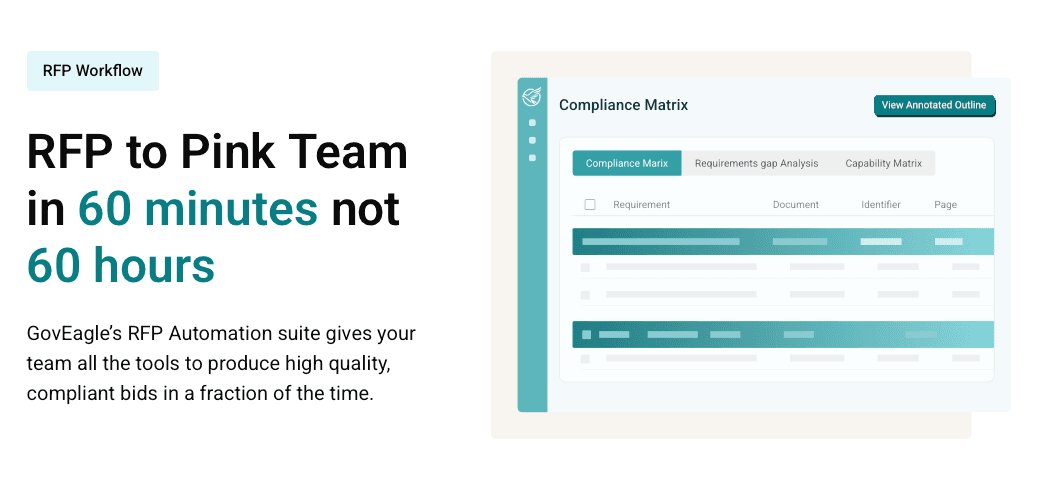
Government proposal teams need knowledge base integration that works within existing workflows. GovEagle's Microsoft Word add-in keeps your team in their native drafting environment while accessing institutional knowledge. Writers search directly from Word, preview results with source citations, and insert content without reformatting. SharePoint, Box, and Egnyte integrations index your existing repositories automatically.
Semantic search understands proposal context beyond exact keywords. When solicitations reference "zero trust architecture," the system retrieves past proposals discussing "secure network segmentation" and "identity-based perimeter security" because it recognizes conceptual relationships. Each result links to the source document and page number for verification before insertion.
Security architecture separates GovEagle from commercial proposal tools. FedRAMP Moderate equivalency and air-gapped deployment options support CUI handling while accelerating response timelines. We do not use your proprietary content to train shared or global AI models, and retrieval augmented generation pulls exclusively from your approved content library.
Teams produce compliant Pink Team drafts in hours instead of weeks, freeing proposal managers to focus on strategy and win themes.
FAQs
How do I integrate my existing SharePoint proposal library with an AI proposal tool?
The best integration approach indexes your SharePoint repository automatically without requiring file migration or manual uploads. Look for tools with native SharePoint connectors that preserve your existing folder structure and permissions while making content searchable through semantic AI, so your team can access institutional knowledge without changing where files are stored.
What is semantic search and why does it matter for proposal content reuse?
Semantic search retrieves content based on meaning and context instead of exact keyword matches. When an RFP requires "zero trust architecture" but your past proposals discussed "identity-based perimeter security," semantic search recognizes the conceptual relationship and surfaces relevant content that keyword matching would miss, dramatically reducing time spent hunting for reusable material.
Can I use AI proposal tools if my company handles CUI or requires FedRAMP compliance?
Yes, but most commercial AI tools don't meet government security requirements. Look for solutions with FedRAMP Moderate equivalency that deploy in AWS GovCloud or offer air-gapped installations for defense contractors. Verify the vendor doesn't train AI models on your proprietary data and is designed to align with NIST 800-171/800-53 and CMMC control expectations before handling information.
Final thoughts on proposal content reuse and knowledge base tools
The most effective proposal content reuse tools fit directly into the way your team already works, which is why GovEagle stands out as a knowledge base integration tool for keeping Word and SharePoint at the center of your drafting process. When content retrieval happens inside familiar applications and semantic search pulls the right past performance without extra steps, proposal development moves faster and with fewer interruptions. Security needs remain constant for contractors handling sensitive material, making native integration and controlled deployment options far more practical than systems that require migration to closed environments. With GovEagle connecting your knowledge base to your drafting workflow, your team can focus on producing stronger responses instead of scrolling through their tools.