
GovEagle adds Discover to federal opportunity search
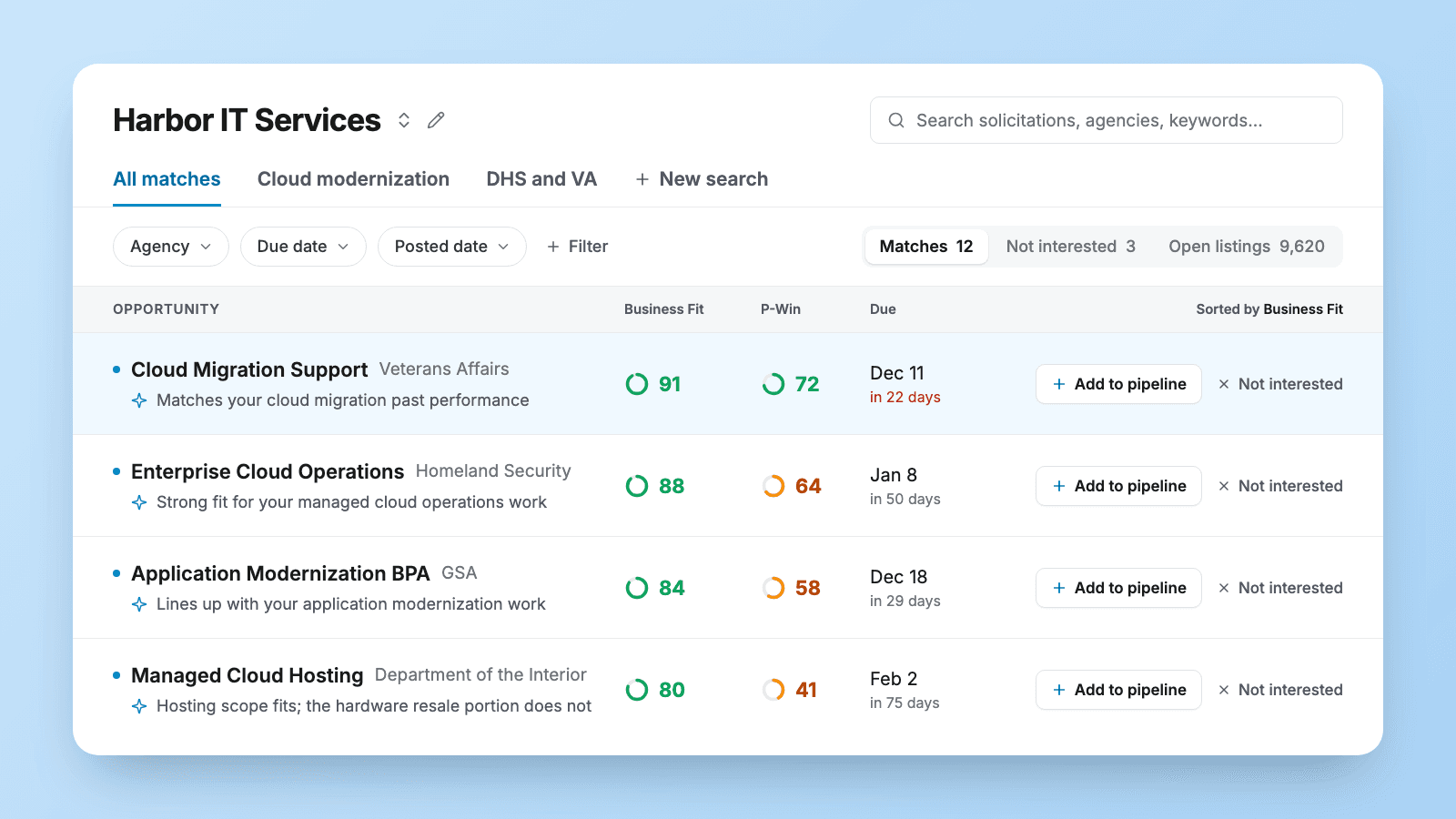
Opportunity Search is now called Discover. Tell it about your company once, and it ranks new federal listings by how well they fit. Discover is in beta.
What changed
Opportunity Search ran on bid agents. Discover starts from a company profile:
- A profile for each company you bid as. Share a website or your UEI, or write the description yourself. A division or subsidiary gets its own profile, searches and matches, so its results don't crowd out yours.
- Saved searches replace bid agents. Your existing bid agents carry over as saved searches, with their names and filters.
- Filter by who's buying. Narrow any search by agency, subagency or office, using the full list of federal agencies.
- One email each morning. Each search can send its new matches in a daily email, and you can pause any search's email at any time.
- Decide as a team. Mark a listing Not interested with a reason your teammates can see, ask a colleague for a second look, or paste a SAM.gov or GovWin link to check a listing you found elsewhere.
Who it helps
Capture and BD leads who review new listings every day, and firms that bid through more than one business unit.
How Discover works
- Select Discover in the left sidebar and choose a company.
- Set up the company: the work you want, your filters, and what isn't a fit.
- Review Matches, sorted by Business Fit. Hover over a score to read why a listing ranks where it does.
- Click Add to pipeline to turn a listing into an opportunity, or Not interested to set it aside.
Get GovCon capture and proposal insights in your inbox.
Where it fits
Discover is part of GovEagle's capture workspace. Listings come from SAM.gov and PIEE, plus GovWin and GSA eBuy for teams that connect them. For building a pipeline that reaches past the public notices, read federal pipeline tracking beyond SAM.gov.
What it doesn't do
- Scores don't make the decision. P-Win is an early estimate. Read the listing's requirements before you commit.
- All matches doesn't combine companies. Each company has its own matches, scores and decisions.
- Not every filter saves. Search text, due date, posted date and opportunity value apply to the current list but aren't saved with a search. Use the Keywords filter for terms you want to keep.
Get started
Discover is in beta. To turn it on for your organization, email support@goveagle.com.
How Discover works → Discover opportunities
See it on your own pipeline → Book a demo