GovEagle adds Unified Assets to the opportunity workspace
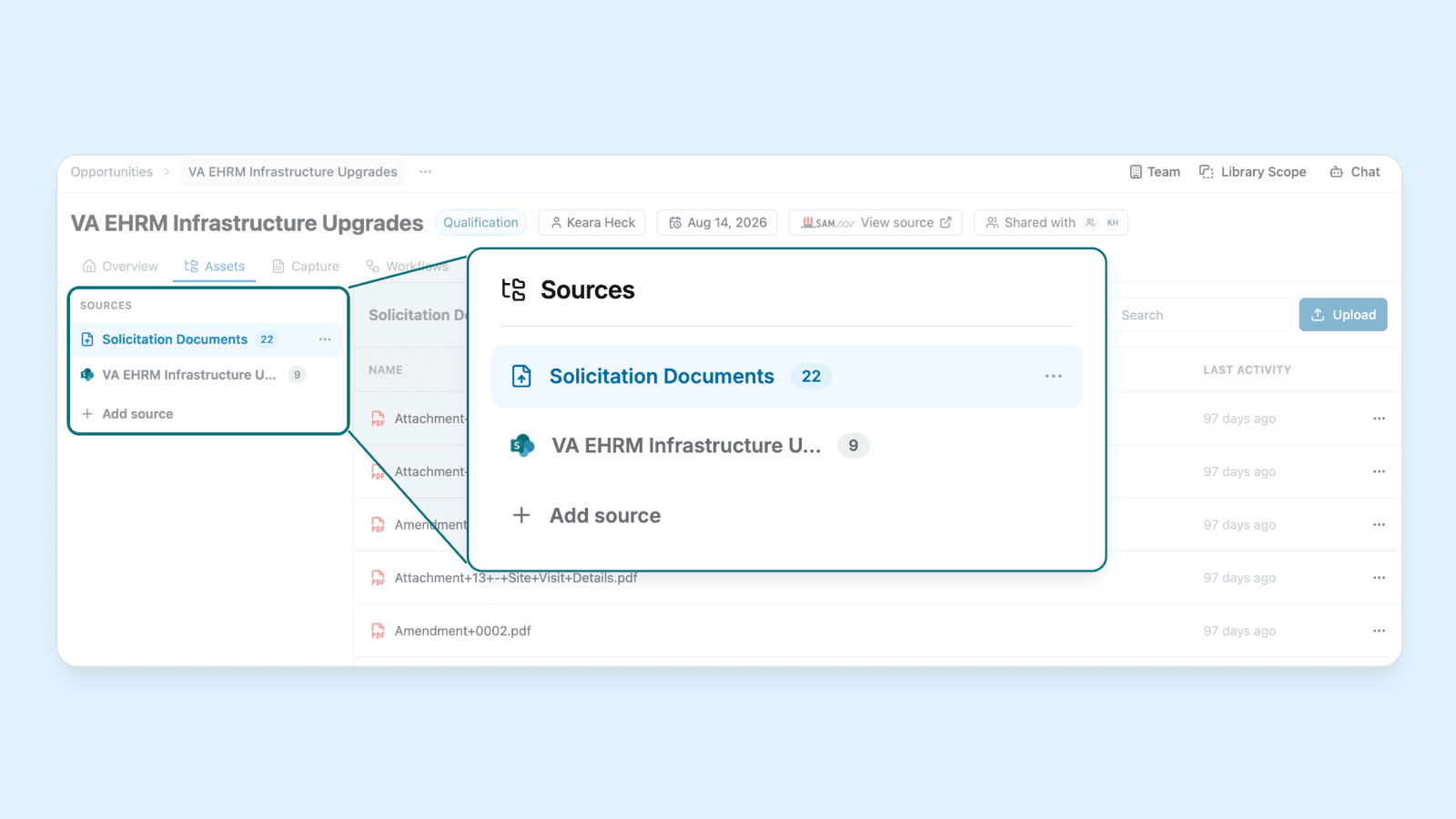
Every document for an opportunity now lives in one Assets tab, from the government's RFP to your own pricing spreadsheets. Unified Assets is in beta.
What changed
Solicitation documents, reference documents and your team's working files used to sit in separate parts of an opportunity. Now:
- One tab for the whole bid. The RFP, SOW, PWS, amendments and Q&A sit beside your technical approaches, past performance volumes, pricing spreadsheets and compliance matrices.
- Organized by source. Upload sources hold files you add to GovEagle. SharePoint sources stay in sync with a folder your team already works in.
- Nothing lost. Existing solicitation files, reference documents and files imported from SAM.gov or Salesforce appear as their own sources.
- Chat starts with the bid's files. When you chat inside an opportunity, GovEagle checks its Assets first and uses the Content Library for supporting material such as past performance.
Who it helps
Proposal managers who are tired of asking which folder holds the current version, and admins who want every bid set up the same way.
How Unified Assets works
- Admins choose the sources every new opportunity starts with in Settings → Opportunity Management → Assets, up to 20.
- When someone creates an opportunity, those sources are already on the form. Upload files or paste a SharePoint folder link.
- In the Assets tab, add files, link more folders or create a document from a template.
Get GovCon capture and proposal insights in your inbox.
Where it fits
Assets is part of GovEagle's capture workspace. For how folder access carries over from SharePoint, read access control and SharePoint permissions for proposal teams.
What it doesn't do
- It doesn't replace the Content Library. Assets belong to one opportunity and don't affect others.
- SharePoint write access depends on your setup. With read-only permission, the source is a mirror you can view and chat with.
- Default sources apply to new opportunities only. Existing ones keep theirs.
Get started
Unified Assets is in beta. To turn it on for your organization, email support@goveagle.com.
How Assets work → Opportunity Assets
See it on a live pursuit → Book a demo